OGC 3D Tiles
OGC 3D Tiles (officially: 3D Tiles) is an open standard for the efficient streaming and visualization of large amounts of 3D geodata over the web, such as cities, buildings, point clouds, and terrain models. The standard was developed by the Open Geospatial Consortium (OGC).
With 3D Tiles, large 3D datasets are intelligently divided into smaller sections (tiles). Only the data needed at that moment is loaded, based on the zoom level and the camera’s position. This ensures fast performance and a smooth user experience, even with very large datasets.
What are 3D Tiles used for?
You can stream massive 3D datasets
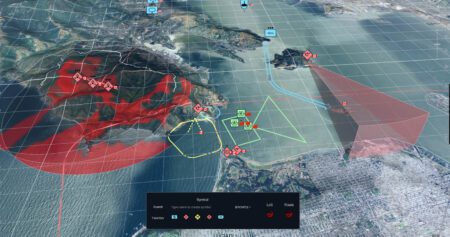
With 3D Tiles, you can work efficiently with large 3D datasets. You can even load an entire city—which can easily run into tens of gigabytes—into an application without any issues. This is because you only stream the data that’s needed at that moment. As a result, performance remains high and everything runs in real time in the browser. This makes 3D Tiles ideal for applications such as digital twins.
Open standard with no dependencies
3D Tiles is an open standard developed by the OGC. This allows you to work with various software solutions without being tied to a single vendor. You retain control over your data and build a future-proof solution. This is particularly relevant for government agencies that want to make sustainable and flexible choices.
Ideal for digital twins
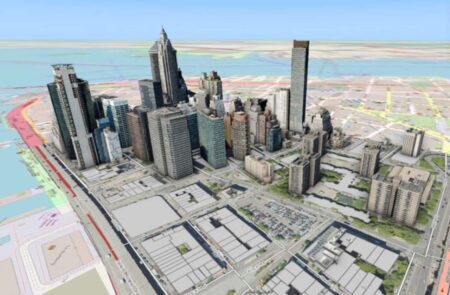
3D Tiles form the foundation for many digital twin . They are used for 3D city models, infrastructure visualization, and smart city solutions, among other things. Many cities now publish their 3D models as 3D Tiles, making them widely accessible and usable.
Web-based technology
You no longer need heavy-duty GIS software to work with 3D data. 3D Tiles works directly in web applications, dashboards, VR and AR environments, and even in game engines. This makes 3D information accessible to a wide range of users.
Combine different data sources
With 3D Tiles, you can bring together various types of data in a single environment. This includes buildings, LiDAR data, sensor data, BIM models, traffic information, and real-time IoT data. Combining these datasets creates a comprehensive and up-to-date picture of the physical environment.
The steps required for OGC 3D tiles
To efficiently stream large volumes of 3D geodata, we use OGC 3D Tiles, an open standard from the Open Geospatial Consortium (OGC). The steps required for this are:
- Tiling: The 3D model is divided into smaller tiles. This makes it possible to load and display only the relevant parts of the model.
- Optimization: The tiles are optimized for rendering performance, taking into account the level of detail and compression
- Conversion to Tile Format: The data is converted to the specific OGC 3D Tile format.
What types of data can you convert to OGC 3D Tiles?
In a digital twin , you digital twin work with various types of data, each with its own advantages and challenges. It doesn’t matter to us what type of data you want to work with. We’ll convert any data for you into OGC 3D Tiles—effortlessly. Below is an overview of the main data types we can convert into OGC 3D Tiles for you.
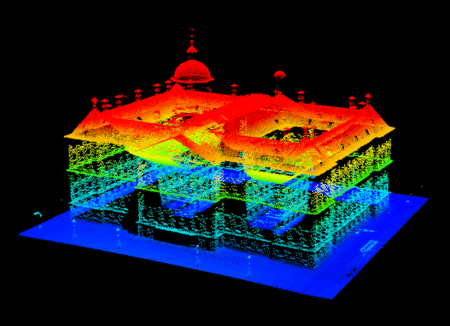
LIDAR data
LIDAR (Light Detection and Ranging) uses laser beams to measure the distance to objects and generates an accurate point cloud of the surrounding area. These point clouds can then be converted into a 3D model compatible with OGC 3D Tiles.
Advantages: High accuracy and level of detail; suitable for topographic and structural analyses.
Applications: Urban planning, forest management, infrastructure monitoring.
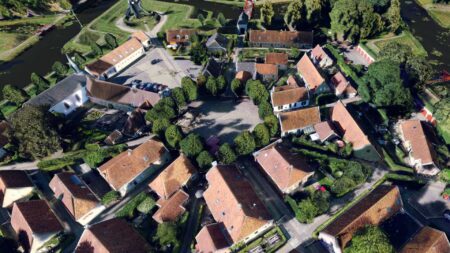
Photogrammetry
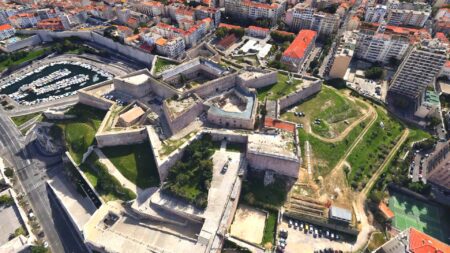
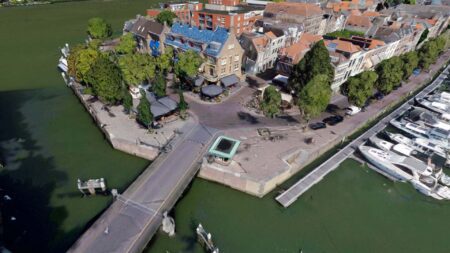
Photogrammetry uses multiple photos of an object or environment, taken from different angles, to create a 3D model. This model can then be converted into OGC 3D Tiles.
Advantages: Data can be collected relatively easily using drones or cameras, and the method is suitable for both small and large objects.
Applications: Heritage conservation, landscape architecture, civil engineering.
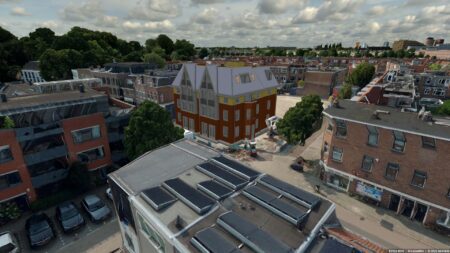
CAD/BIM Models
Computer-Aided Design (CAD) and Building Information Modeling (BIM) files contain detailed 3D models of buildings and infrastructure. These files can be converted directly to OGC 3D Tiles.
Benefits: Detailed and comprehensive information about structural components and materials.
Applications: Civil engineering, architecture, facility management.
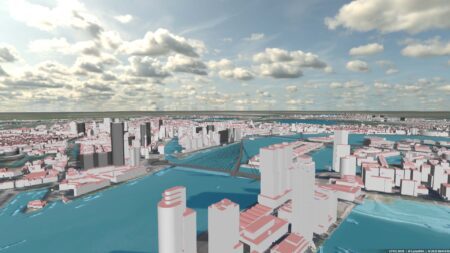
3D GIS Data
Geographic Information Systems (GIS) can contain 3D data, such as elevation models, buildings, roads, and vegetation. This 3D GIS data can be converted into OGC 3D Tiles for advanced geographic analysis.
Advantages: Can be easily integrated with other geographic data, making it ideal for large-scale spatial analyses.
Applications: Urban planning, environmental management, disaster management.
The Challenges of Converting to OGC 3D Tiles
Converting the above data into OGC 3D Tiles presents several challenges. These include:
- Data integrity: It is essential that the data be accurate and complete. This is particularly challenging when merging data from different sources.
- Optimization: 3D Tiles must be optimized for rendering performance without sacrificing detail. This includes compression and managing the level of detail (LOD).
- Georeferencing: All data must be correctly georeferenced to enable accurate representation in a geographic context.
- Model complexity: Working with complex CAD/BIM models can present additional challenges, such as preserving material and structural information.
- Viewer integration: Integrating the display into various viewers requires careful configuration and optimization to ensure a smooth user experience.
- Preprocessing challenges: Effectively cleaning, georeferencing, and merging various data sources can be complex.
- Performance Optimization: Optimizing 3D Tiles for performance without sacrificing detail or quality requires in-depth technical expertise.
- Viewer integration: Ensuring seamless integration of the 3D Tiles into a viewer, while taking into account loading times and user experience.
- Building-specific complexities: Dealing with the levels of detail, structure, materials, and analyses of building models adds additional layers of complexity.
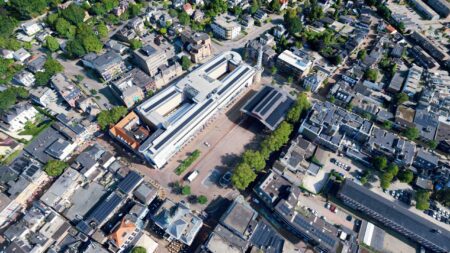
Visualization in a viewer
To visualize the digital twin , you need a viewer that supports OGC 3D Tiles. Integrating the view into various types of viewers requires careful configuration and optimization to ensure a smooth user experience.
With our Planspace Simulator, you can create your own 3D virtual web viewer of the physical environment in just a few minutes—no programming or complicated workflows required. Our digital twin easily combine various types of data and sources and convert them into actionable insights for specific users.
This results in a single, integrated information system that brings together terrain models, point clouds, 3D building models, 3D meshes, 360° panoramas (both indoor and outdoor), vector files, basic registries, and integrations with live sensor data. This offers extensive applications for, among other things, permitting, oversight and enforcement, public participation, the environment, safety, and urban development.
Working with 3D building models
When creating a digital twin buildings, for example, we take into account specific aspects that are unique to building models:
Precision and accuracy
- Level of detail: Buildings require a high level of detail, especially for elements such as windows, doors, and interior details.
- Dimensions: Make sure the dimensions are accurate to create realistic and functional models.
Structure and hierarchy
- Floors and zones: Dividing buildings into floors and zones helps with the management and visualization of different sections.
- Components and materials: Use of appropriate materials and components to reflect the physical characteristics of the building.
Data integration
- BIM Integration: The use of BIM (Building Information Modeling) enables comprehensive information integration that goes beyond geometric data.
- GIS integration: Integration with geographic information systems (GIS) to place the building within its surroundings.
Analysis options
- Energy simulations: Using building models to perform energy efficiency simulations and analyses.
- Structural analysis: Assessing the structural integrity and safety of the building.
The difference between a 3D building model and a 3D mesh
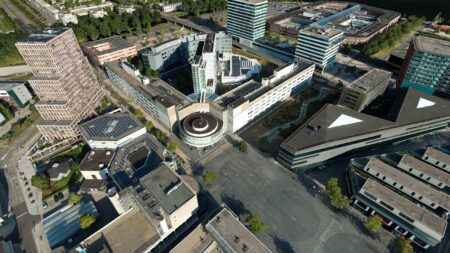
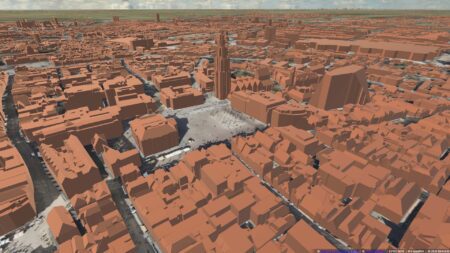
3D Building Model
Accuracy and Level of Detail
A 3D building model is often created specifically for architecture, urban planning, or civil engineering. The model contains detailed information about the building, such as walls, windows, doors, floors, roofs, and sometimes even plumbing and electrical systems.
The geometry in a 3D building model is usually modeled accurately based on actual dimensions and specifications.
Information (BIM)
A 3D building model can be part of a Building Information Model (BIM). This means that, in addition to geometric data, a great deal of non-geometric information is also stored, such as material types, costs, construction phases, etc.
Applications
Used in the construction and architecture sectors for design, visualization, simulation, and analysis.
Ideal for planning and coordinating construction projects.
3D Mesh
Geometry and Structure
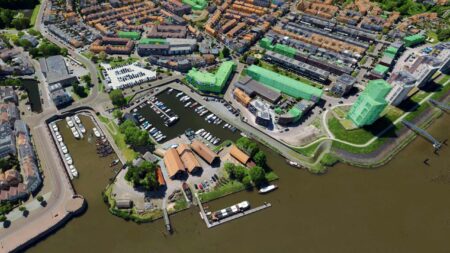
A 3D mesh is a general representation of an object in three-dimensional space. It consists of a collection of points (vertices), edges, and faces that together describe the shape of an object.
A mesh can be a simple structure, such as a cube, or a complex one, such as a detailed model of a person or a landscape.
Accuracy The accuracy of a 3D mesh depends on the number of polygons (surfaces) used. More polygons can result in a more detailed and smoother representation, but also require more processing power.
Applications
3D meshes are widely used in the gaming industry, animation, virtual reality (VR), and in the creation of CGI for films.
In architecture and construction, a 3D mesh can be used for visualizations or to represent complex shapes and surfaces that are difficult to model using traditional building models.
IMAGEM Digital Twin
Do you have any questions, or would you like to easily serve and use OGC 3D tiles yourself? Feel free to call or contact one of our experts.

Niels van de Graaf
Government Market Manager

Stefan Lijst
Business Consultant
 Hexagon